Reusable Items
If you frequently bill for the same products or services, you can save them as reusable items. This saves you from having to type the same details manually every time you create a new quote or invoice.
Adding a Reusable Item
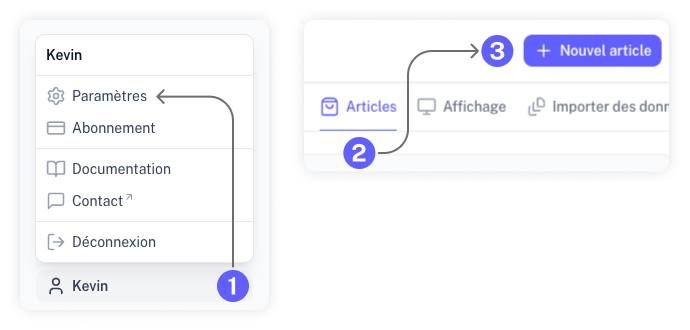
To add an item to your library, go to the "Settings" section of your account. Select "Articles" and click the "Add Article" button.
Enter the details for your product or service, including its name, description, price, and default quantity.
Using a Reusable Item
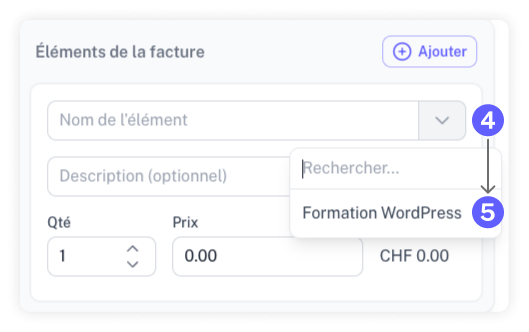
When creating an estimate or invoice, you can select a saved item from the dropdown list located to the right of the item name field.
Managing Reusable Items
You can edit, disable, or delete existing items in the "Settings" > "Articles" section.
If you want to keep an item's data for historical reference but no longer want it to appear in your active selection list, simply disable it.