Manage your contacts.
Centralize your client data and reuse it to generate invoices and quotes. No more scattered information.
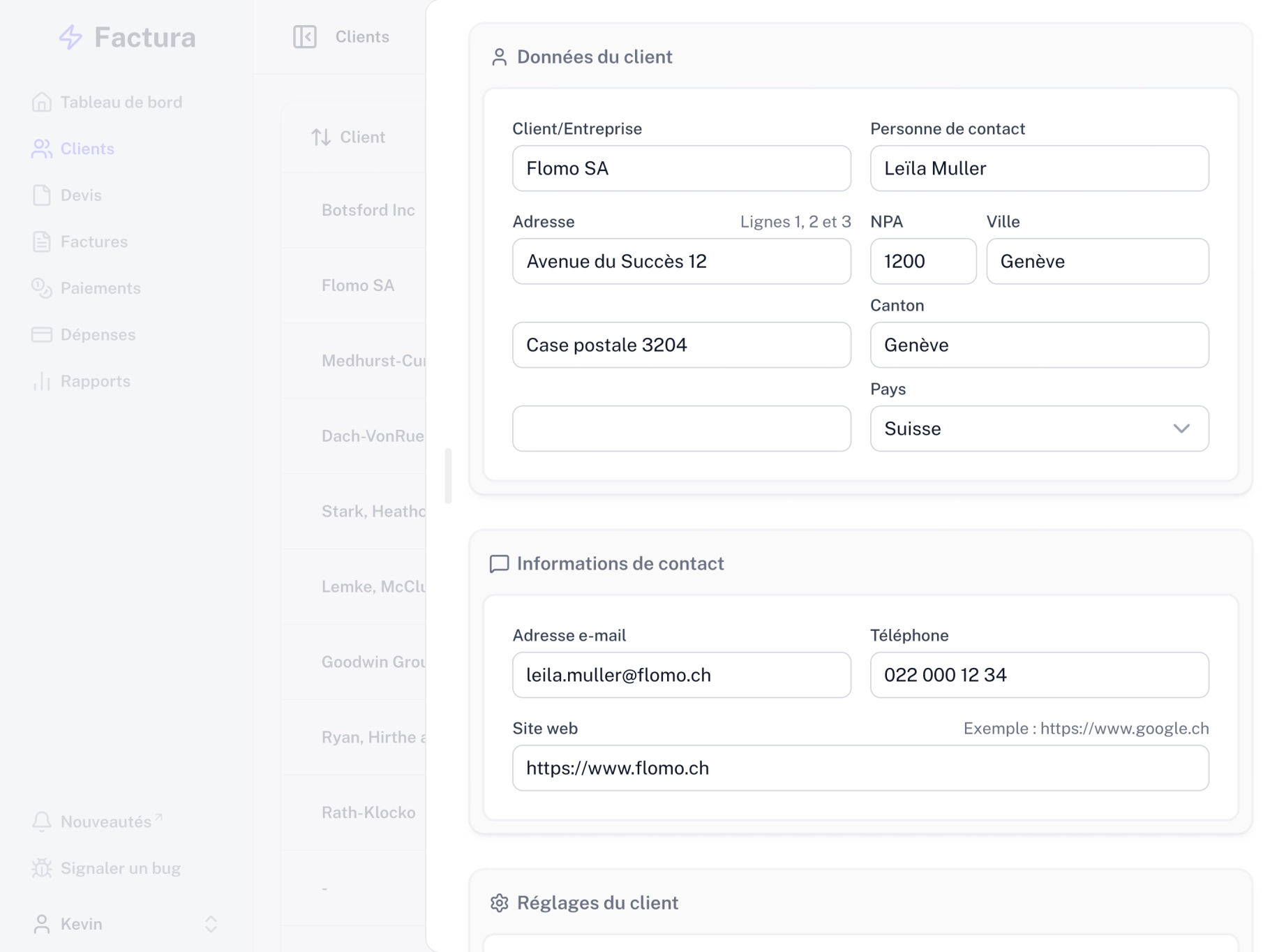
Add clients in seconds
Add clients easily from anywhere in the app: invoices, quotes, or your client list.
Automatic updates
Client details changed? No problem. Update them once and every related invoice and quote updates automatically.
Custom prefixes
Set a prefix per client to instantly recognize their invoices and quotes.
CSV import
Import up to 100 clients at once with the CSV import feature.
Organize your contacts.
Client list
An easy-to-use list with an overview of your contacts' key information, plus an automatic outstanding balance for each client.
Editing made simple
Add and edit personal details and client information through an intuitive interface.
Custom prefixes
Choose a prefix to personalize invoice and quote numbers for each client.
Search and sort
Find a specific client with the search feature, or sort entries by column.
Stay organized
Want to hide a client from the app without losing their data? Simply deactivate them and they'll no longer appear in selectors throughout the app.
Attached documents
Add documents to client records to keep important information close at hand, such as ID cards, driving licenses, or contract details.
Import clients
Add your contacts in bulk by importing up to 100 clients at once from a CSV file. Data can come from another app or a spreadsheet (Excel, Numbers, etc.).
There's more to Factura.
Invoices and quotes
Create and send QR invoices and quotes in minutes. Track payment status and get automatic reminders when a payment runs late.
Expenses and payments
Track every expense and payment without the hassle. Stay organized and keep a clear picture of your cash flow at all times.
Reports
Generate detailed reports on your activity. Follow your performance and make confident decisions backed by reliable, up-to-date data.
Time tracking
Track time spent on projects with a timer or our Mac and Windows app, then turn your hours into invoices.
Starting at 30 cents a day.
- Unlimited entries
- PDF exports
- QR invoices
- Payment & expense tracking
- Reports
- VAT management
- Regular updates
- Developed & hosted in Switzerland
- Everything in Starter
- Custom PDF templates for invoices & quotes
- Orders & delivery notes
- Time tracking
- Priority support
- Early access to new features