QR Bill
Factura allows you to automatically include a Swiss QR bill section whenever you generate an invoice in PDF format.
Requirements
For the QR bill section to be generated correctly, you must first define your payment details (IBAN) in your user profile.
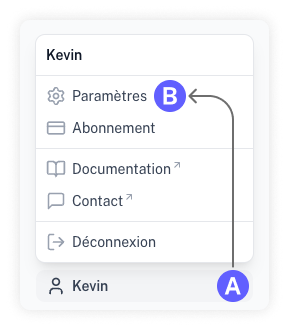
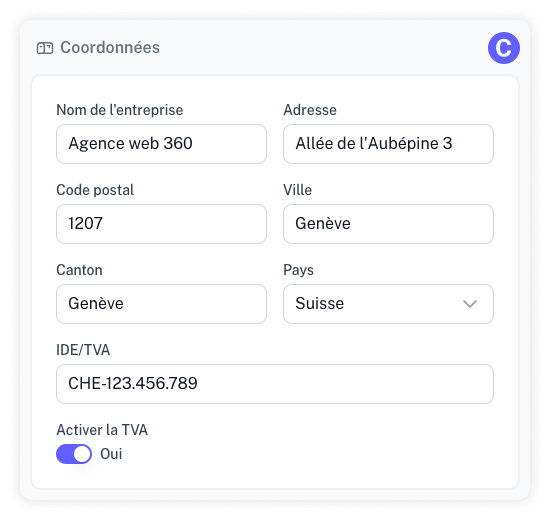
Physical Address
Your business address appears in the invoice header and is used for the "Account / Payable to" section of the QR bill.
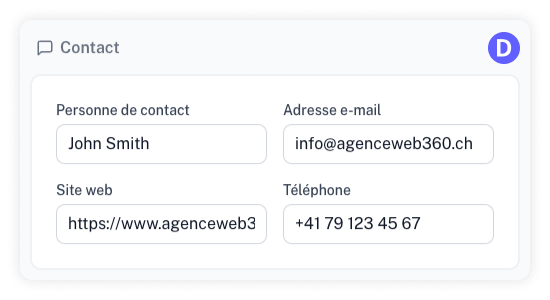
Contact Information
Contact details help your clients reach you if they have questions. This information is displayed in the invoice header.
Payment Details
Your IBAN is used to generate the QR bill section.
You can save multiple bank accounts in the "Payment information" section of your settings.
- Click "Add bank account."
- Enter a name (for example "Checking account") and the corresponding IBAN.
- Toggle "Set as default account" if this account should be used automatically on your new invoices.
Only one account can be set as default at a time. It is used automatically to generate the QR bill section on your new invoices.
Once all this information is provided, the QR bill section will be automatically appended to every PDF export of your invoices.