Swiss invoicing software
Bill clients in Switzerland
With Factura, create professional invoices and estimates in a few clicks.
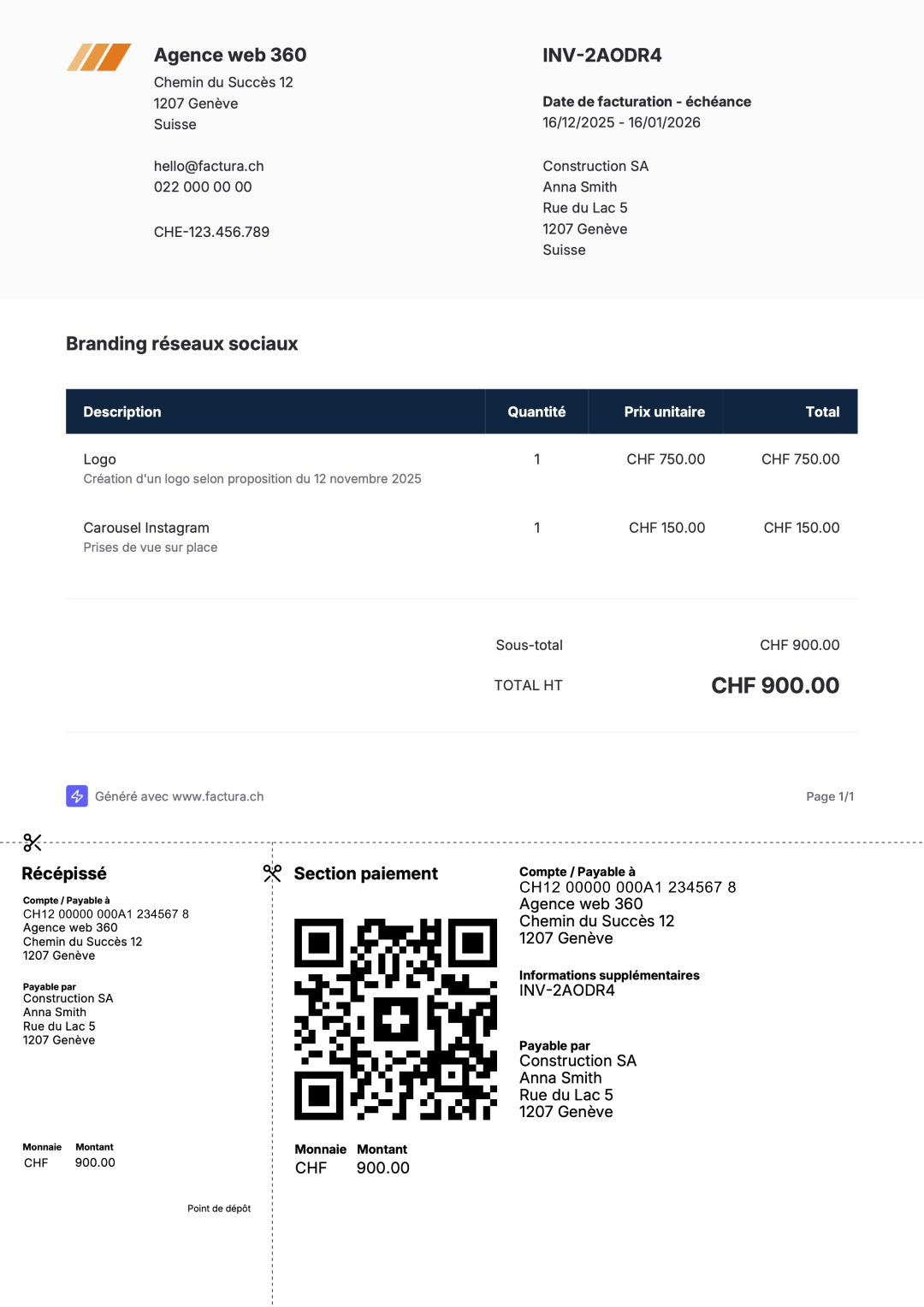
- Easy creationSelect the client to bill, add products or services, and generate the invoice as PDF in 1 click.
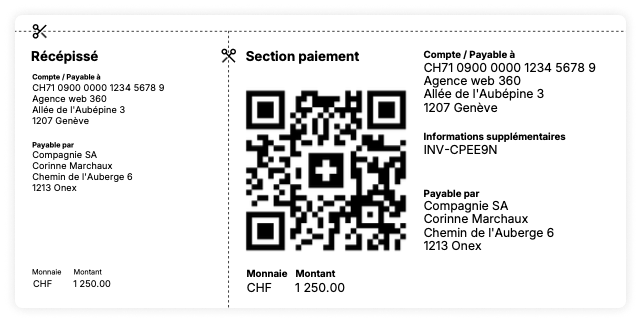
- QR InvoiceThe QR invoice section is generated automatically, no commercial bank account needed, your standard IBAN works!
- CustomizationAdd your logo, a custom title, or payment terms to your invoices.
- Reusable itemsDo you regularly bill the same products or services? Add them to your personal catalog to reuse them without having to re-enter them every time.
Try for free for 14 days!No commitment and no credit card required
An intuitive interface
To create estimates and invoices quickly and easily. Add and rearrange items, shape your estimates and invoices to your image!
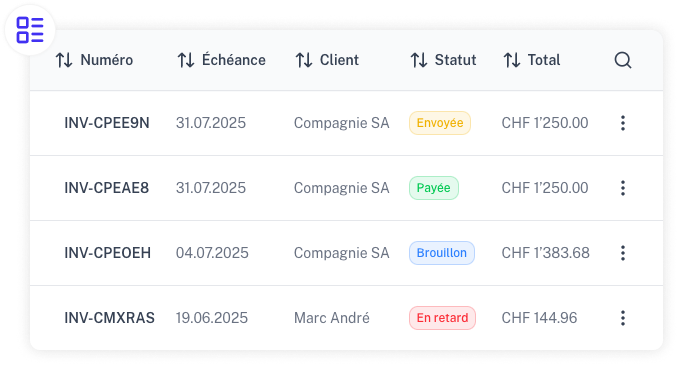
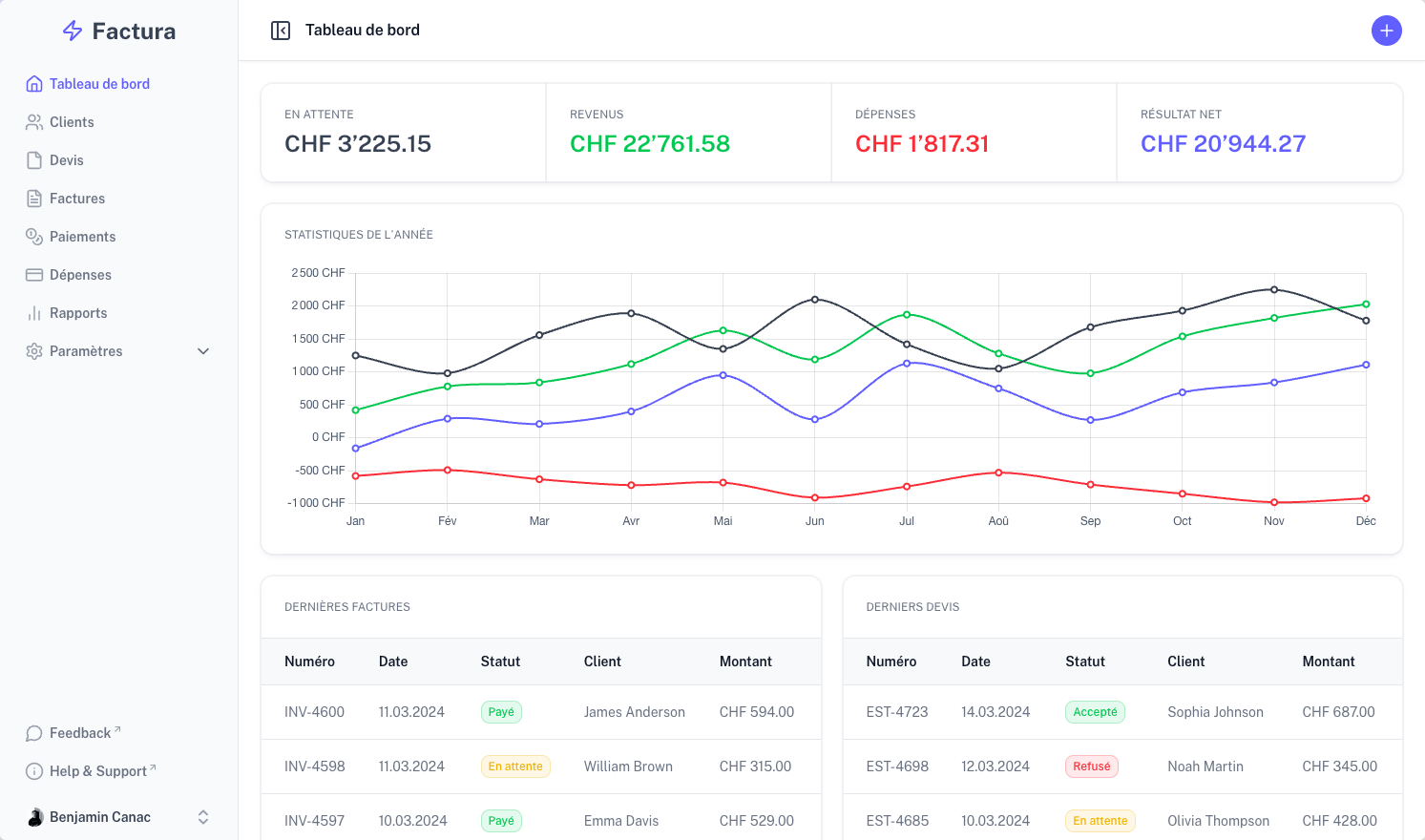
List of estimates and invoices
An easy-to-use list with details of estimates and invoices: creation and due dates, client, status, and amount.
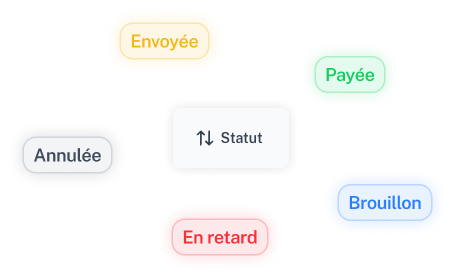
Easy tracking
Use statuses to organize your invoices and estimates. Unpaid invoices past their due date are automatically marked as 'overdue', allowing you to focus on what matters!
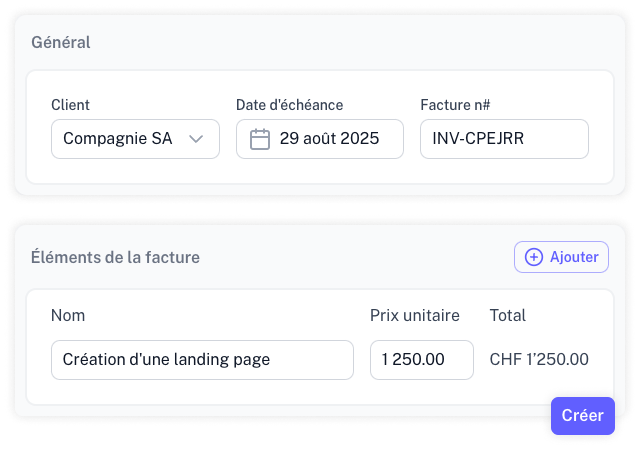
Create in a few clicks
The creation interface is easy to use. Indicate the client, the due date, items to bill, and go!
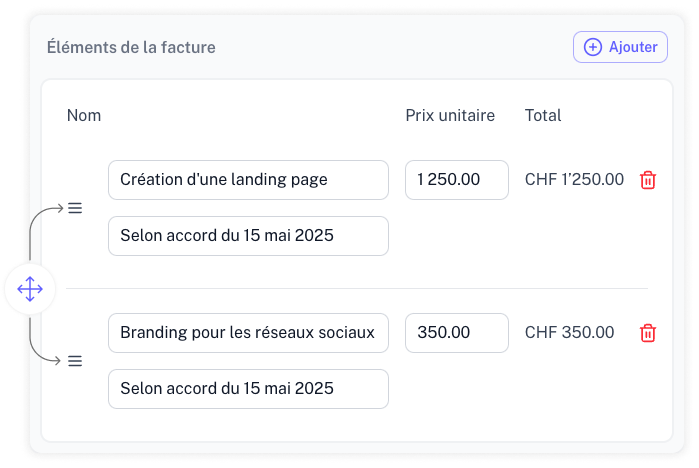
Easy reordering
Swap items by dragging them, no need to start over to reorder things!
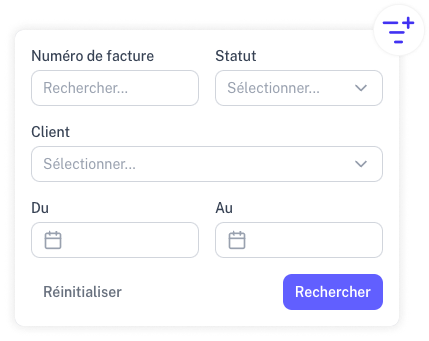
Search and sorting
Search for a specific invoice or estimate using filters. You can also reorder columns as you like.
Estimates and invoices
Factura's interface allows you to create both estimates and invoices. Once an estimate is accepted, convert it into an invoice in 1 click!
Send by email
Send your invoices directly by email to your clients. The email contains the QR code for payment and the complete invoice as a PDF attachment.
QR Invoices and TWINT
Export your invoices and estimates as PDF to share with your clients. Your invoices automatically include a QR Invoice section and you can even add TWINT payment!
Also included in Factura.
All the features you need to manage your business with ease.
Are you interested in Factura ?
Test our application for free for 14 days. No commitment and no credit card required!
FAQ
Find answers to your questions.