Editing a Client
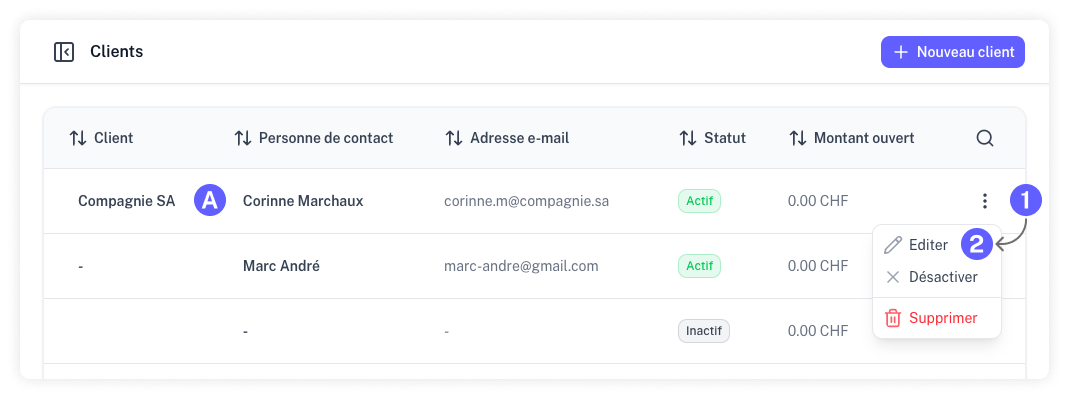
You can update your clients' information at any time from the "Clients" page. Click on the client's name or contact person (A), or use the action menu for the specific client you wish to edit (1 and 2).
Disabling a Client
If you want to hide a client from the various selection menus throughout the application without losing their historical data, you can disable them.
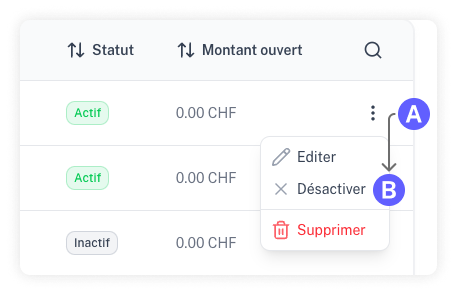
Click on the client's action menu and select "Disable."
Deleting a Client
Warning: Deleting a client is permanent and cannot be undone. However, any existing estimates, invoices, or other records linked to this client will remain in your system.
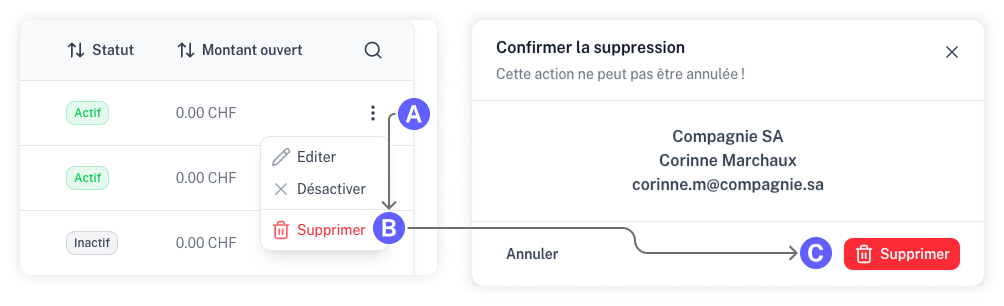
To remove a client completely, select "Delete" from their action menu and confirm your choice in the following prompt.