Categorizing Your Expenses
To keep your finances organized, you can group your expenses by category. This allows you to generate detailed reports on your business's financial health.
Creating an Expense Category
During Expense Creation
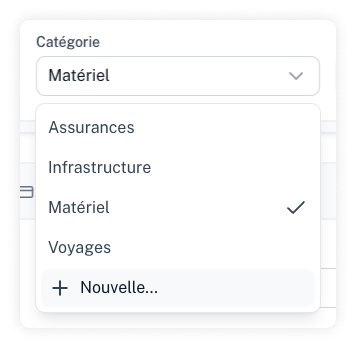
While adding or editing an expense, you can create a new category directly from the list by clicking "New".
From Settings
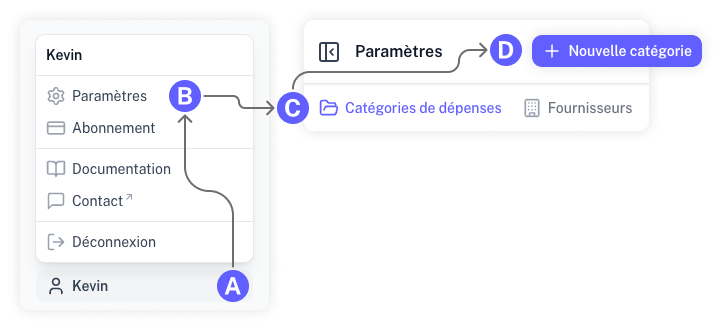
Go to the "Settings" section, select "Expense Categories," and click on "New Category."