Bookkeeping for the self-employed
Build your own categories and suppliers to organize your payments and expenses exactly the way you want.
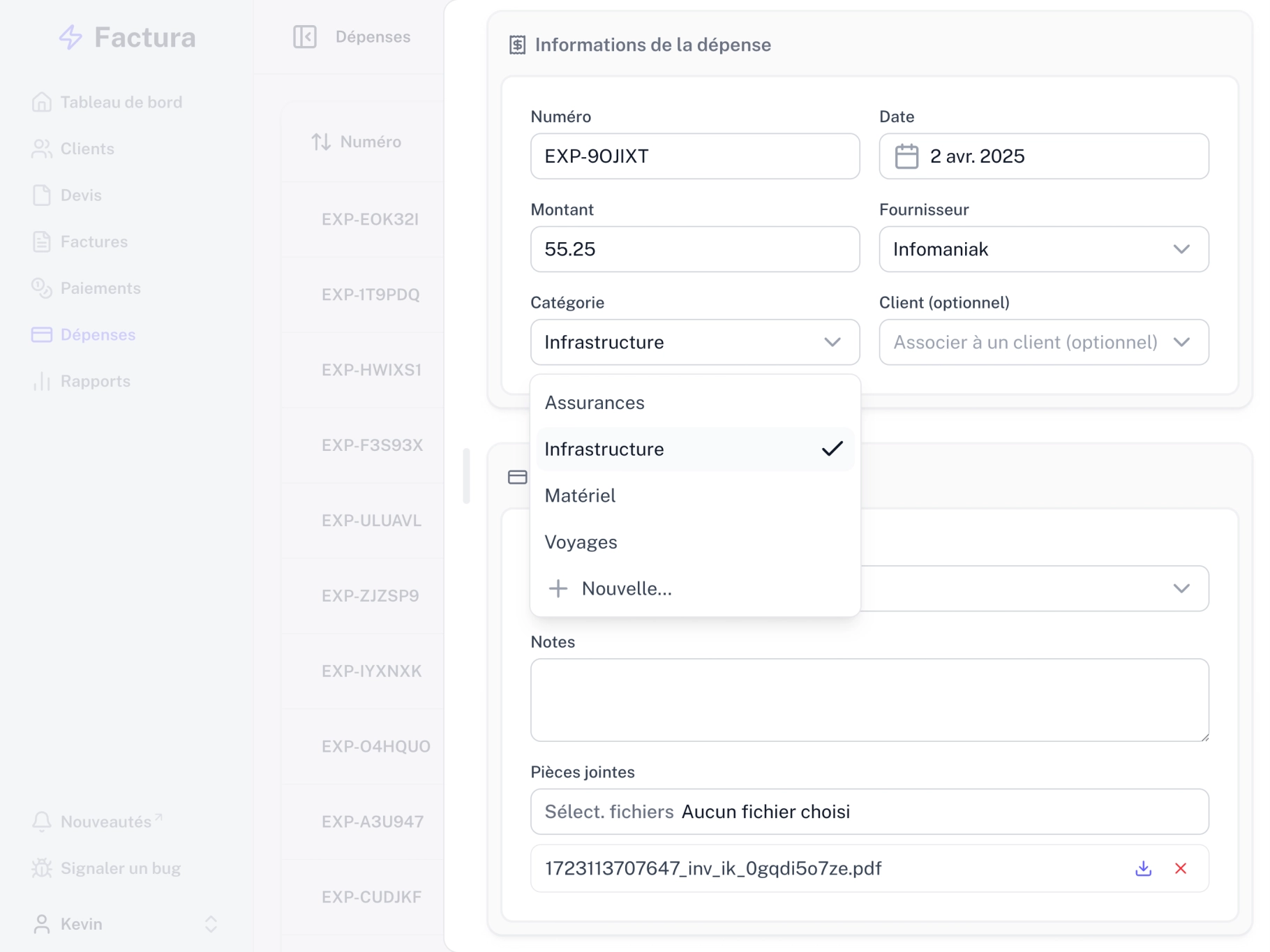
Custom categories
Create your own categories to sort your expenses your way.
Suppliers
Assign expenses to specific suppliers to track your spending precisely.
Receipts
Attach receipts to your expenses to keep a complete record of every transaction.
Payment tracking
Log payments from your clients or link them directly to the invoices you've created in Factura.
Simple, effective tracking
Expense overview
See every expense in one searchable list.
Categories
Create your own categories to sort your expenses your way.
Receipts
Keep track of every expense by attaching a receipt to it.
Suppliers
Add the suppliers you work with regularly to categorize expenses faster.
Payments
Every transaction tied to an invoice shows up right in that invoice's details.
Payment confirmations
Export payment confirmations as a PDF.
Partial payments
Link one or several payments to the same invoice when clients pay in installments.
Payment method
Note how each payment was made (cash, bank transfer, credit card, TWINT, etc.) to keep an accurate record of your expenses.
Expense import
Import up to 100 expenses at once from a CSV file and save yourself the manual entry.
There's more to Factura.
Customers
Keep all your client data in one place. Pull it up instantly when creating an invoice - no more searching through emails or spreadsheets.
Invoices and quotes
Create and send QR invoices and quotes in minutes. Track payment status and get automatic reminders when a payment runs late.
Reports
Generate detailed reports on your activity. Follow your performance and make confident decisions backed by reliable, up-to-date data.
Time tracking
Track time spent on projects with a timer or our Mac and Windows app, then turn your hours into invoices.
Starting at 30 cents a day.
- Unlimited entries
- PDF exports
- QR invoices
- Payment & expense tracking
- Reports
- VAT management
- Regular updates
- Developed & hosted in Switzerland
- Everything in Starter
- Custom PDF templates for invoices & quotes
- Orders & delivery notes
- Time tracking
- Priority support
- Early access to new features