Invoice clients in Switzerland
With Factura, create QR invoices and professional quotes in just a few clicks.
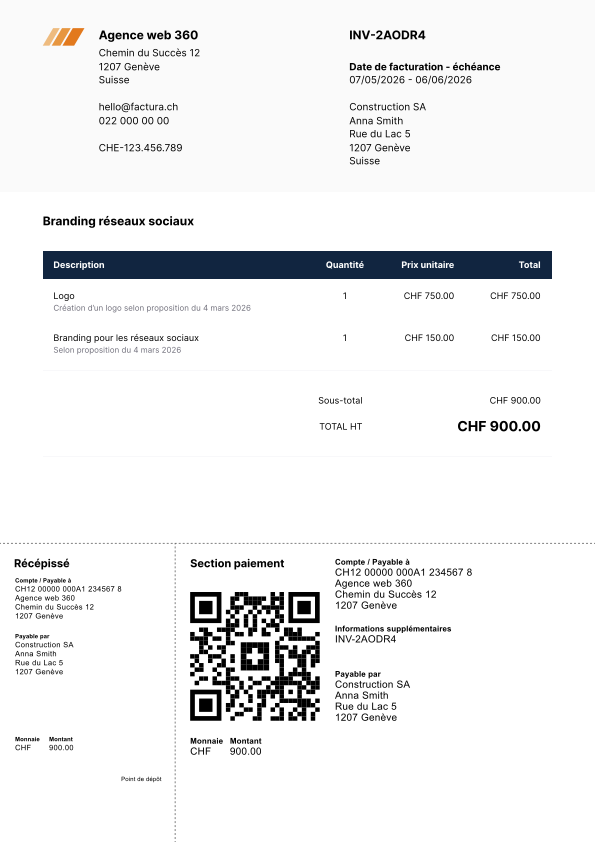
Easy to create
Select the client, add your products or services, and generate a PDF invoice in 1 click.
QR Invoice
The QR invoice section is generated automatically. No business bank account needed: your personal IBAN works just fine.
Customization
Add your logo, a custom title, or payment terms to your invoices.
Reusable items
Bill the same products or services regularly? Add them to your personal catalog and reuse them without re-entering everything each time.
An intuitive interface
Quotes and invoice list
A clean, easy-to-use list with all the details you need: creation and due dates, client, status, and amount.
Stay on top of payments
Use statuses to keep your invoices and quotes organized. Unpaid invoices past their due date are automatically flagged as overdue, so you can focus on what matters.
Done in a few clicks
The creation interface is straightforward. Enter the client, set the due date, add the line items, and you're ready to send.
Drag to reorder
Rearrange line items by dragging them. No need to start over just to change the order.
Search and filter
Find any invoice or quote using filters. You can also sort columns however you like.
Quotes and invoices
Factura handles both quotes and invoices. Once a quote is accepted, convert it to an invoice in 1 click.
QR Invoices and TWINT
Export your invoices and quotes as PDFs to share with clients. Every invoice automatically includes a QR invoice section, and you can even add TWINT as a payment option.
Send by email
Send invoices directly to your clients by email. The message includes the payment QR code and the full PDF invoice as an attachment.
Hourly billing
Enter the number of hours worked and your hourly rate, and Factura calculates the total automatically.
Rounding
Choose whether to round your amounts or keep them exact.
Discounts
Add discounts to your invoices, either as a percentage or a fixed amount.
Custom numbering
Set up your invoice numbering to fit your workflow using predefined variables and counters.
Multiple bank accounts
Save several IBANs and pick which one to use for each invoice's QR code.
There's more to Factura.
Customers
Keep all your client data in one place. Pull it up instantly when creating an invoice - no more searching through emails or spreadsheets.
Expenses and payments
Track every expense and payment without the hassle. Stay organized and keep a clear picture of your cash flow at all times.
Reports
Generate detailed reports on your activity. Follow your performance and make confident decisions backed by reliable, up-to-date data.
Time tracking
Track time spent on projects with a timer or our Mac and Windows app, then turn your hours into invoices.
Starting at 30 cents a day.
- Unlimited entries
- PDF exports
- QR invoices
- Payment & expense tracking
- Reports
- VAT management
- Regular updates
- Developed & hosted in Switzerland
- Everything in Starter
- Custom PDF templates for invoices & quotes
- Orders & delivery notes
- Time tracking
- Priority support
- Early access to new features